
News
The new Mastercam 2026 R2 version has been released

Mastercam 2026 R2 brings a significant change to the software release model along with several practical improvements for daily CAM programming.
Mastercam 2026 R2 brings a significant change to the software release model as well as numerous practical improvements for daily CAM programming. Instead of an annual software version, Mastercam is shifting to a semi-annual release schedule, aiming to deliver new features to users faster and keep the changes in each update manageable.
Mastercam 2026 R2 installs as an update to the software, retaining existing machine environments, post-processors, and settings. Released in February 2026, the R2 version will be available to all Mastercam CONNECT maintenance customers.
At the same time, Mastercam has revamped its visual identity and updated its brand. The new logo and the slogan "Challenge Accepted" highlight the software’s long history of tackling demanding and complex manufacturing challenges. Mastercam’s message is clear: the software is designed for situations where the complexity of the work, precision, and tight schedules put high demands on both the user and the software.
Faster Verify Inspection Using GPU Computing Power
The most significant technical improvement in Mastercam 2026 R2 is the accelerated Verify inspection, which now utilizes the computing power of your graphics card. Previously, the inspection process relied almost entirely on CPU speed, making it especially slow for verifying large or multi-axis programs.
In the R2 version, Verify can leverage GPU parallel processing when running inspections quickly, significantly reducing the time required to check toolpaths.
Copilot Brings AI Into CAM Programming
Mastercam Copilot is an integrated AI assistant within Mastercam. It operates directly from its own side panel in the Mastercam interface and requires no separate activation or complex training. Its goal is to make the programmer’s daily work easier without making decisions on behalf of the user or altering toolpaths unnoticed.
Copilot can be used both by typing and speaking. It understands natural language and helps users find and launch features without having to remember the exact location of icons or even the names of functions. For support, Copilot utilizes Mastercam's own documentation and learning resources, and it can direct users straight to the correct help page or the relevant section of a tutorial video. In command mode, Copilot acts as a natural language command search. It can launch functions, modify specific parameters like feeds and spindle speeds, and create machine groups.
Copilot does not automate actual programming, but rather supports it. It can create a framework for a job, upon which the actual programming is then carried out by the user as usual. In practice, Copilot reduces unnecessary clicking and information searching, lowers the learning curve for new users, and offers experienced programmers a way to speed up routine tasks.
More Versatile Mastercam Probing
Mastercam 2026 R2 expands Mastercam Probing to support Blum DigiLog laser tool measurement. Blum is known for its precise and wear-free measurement technology, which enables fast and reliable tool and part measurements on CNC machines. In the R2 version, measurement, wear, and tool breakage functions are included directly in CAM programming, without manual macro handling or the use of separate applications.
Probing and tool measurement can be programmed with the same interface and logic as regular machining operations. Mastercam now comprehensively supports various control and machine tool manufacturer combinations, such as Fanuc, Heidenhain, Siemens, Mazak, Okuma, and Makino environments. This allows different probe and tool measurement systems from various manufacturers to be used in the same machine shop without needing to change the programming method for each machine.
Improvements to Usability and Toolpaths
Mastercam 2026 R2 also comes with several usability improvements. Quick basic functions have been restored to level management, creating and selecting levels has been streamlined with a number-based logic, and the views have been enhanced with themes and better contrast. These changes reduce mouse movement and make workflows more predictable, especially in projects with many levels and level coordinates.
3Dconnexion SpaceMouse support has also been updated. The new version improves the feel and response time of the 3D mouse, making it easier to view and navigate models from multiple angles—especially useful when working with multi-axis and complex workpieces.
The tool creation process has been improved, especially for dovetail cutters and other back-cutting tools. The diameter of the tool shaft can now be larger than the cutting diameter, more accurately reflecting real tools and improving the reliability of collision checking. Additionally, in the Solid Hole feature, threaded holes can now be displayed with specific color coding, improving model readability and making manufacturing planning easier from the early stages.
In multi-axis machining, improvements are seen in smoother movement and shorter machine times. In combination operations, automatic tilting now also supports corner radius tools, allowing better utilization of tool geometry and cleaner moves in areas requiring collision avoidance. The improved tilt yields smoother multi-axis movement, shorter tool overhang, and better rigidity without manual adjustments. Additionally, 4-axis side milling and rotary axis enhancements have improved toolpath accuracy, making transition moves smarter than before.
Mastercam 2026 R2 Featured at Konepaja Trade Fair
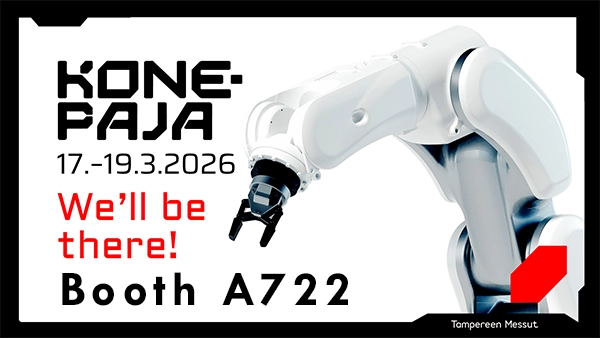
As Mastercam’s official reseller, Camcut will participate in the Konepaja Trade Fair at the Tampere Exhibition and Sports Center from March 17–19, 2026, in Hall A, Booth A722. At the trade fair, you’ll have the opportunity to explore Mastercam 2026 R2 and its latest features from a hands-on perspective. To ensure you have a chance to get an in-depth look at Mastercam and its new features, please contact us in advance to book a demonstration slot at the fair.
If you’re unable to attend the Konepaja Trade Fair, you can also arrange a separate demonstration of Mastercam 2026 R2, either on-site or remotely.
[contact_member,name="",id=2,details=Name-Telephone-MobilePhone-Email-MemberPhoto]
[contact_member,name="",id=469,details=Name-Telephone-MobilePhone-Email-MemberPhoto]


