
Mastercam Mill 2D Drilling
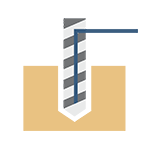
Mastercam's drilling operation makes it easy to program a wide variety of hole types accurately. This includes various drilling, tapping, and boring operations, making it a highly versatile tool for programming machine tools. The Mastercam drilling operation is designed to recognize holes in 3D models as features, enabling the quick and easy creation of toolpaths for all holes of the same size, regardless of their length or start and end levels. This simplifies the hole programming process and improves efficiency, especially in complex machining projects with a large number of holes. The drilling cycle parameters depend on the machine tool control and postprocessor being used.
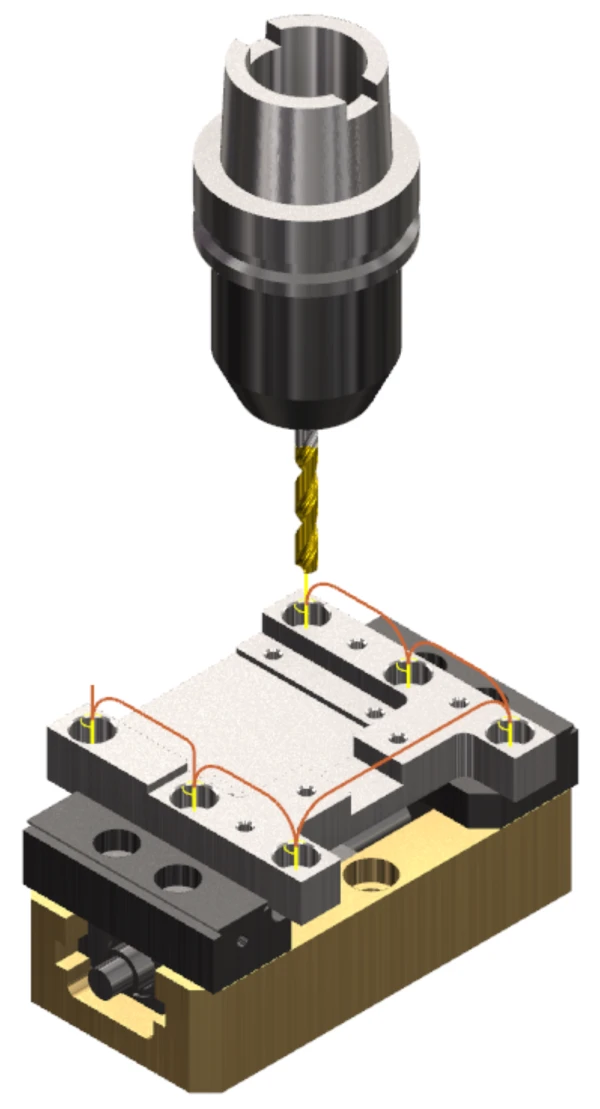
The drilling operation's automatic linking movements recognize the shape of the connected 3D model and avoid the part during rapid movements between holes. This means that the toolpaths are optimal and safe, minimizing the risk of collisions and improving the overall quality of the machining process. Fixtures, clamps, and other components to be avoided can be easily defined using the 'Avoidance geometry' option found on the drilling operation's 'Toolpath Type' tab. This increases programming flexibility and ensures smooth machining processes.
Applications
- Drilling: Efficient standard drilling and multi-step drilling.
- Tapping: Automatic tapping with a fixed or floating tap holder.
- Boring: Various boring operations for creating accurate, finished holes.
Benefits
- Efficiency: Automatic hole recognition and programming for all holes of the same size reduce programming time and the risk of errors.
- Accuracy: Accurate recognition of shapes and avoidance elements reduces the risk of errors and improves the quality of the finished product.
- Flexibility: Supports a wide range of drilling, tapping, and boring operations.
- Safety: Automatic avoidance features reduce the risk of damage to the machine tool and workpiece.
Tips
- Select holes for drilling by double-clicking the mouse on the hole's cylindrical face in the solid geometry. Hold down the Ctrl key and select a hole to select all holes of the same size. Hold down Ctrl+Shift and select a hole to select all holes of the same size and orientation.
- Geometry recognition: Make sure that the 3D model geometry is correct and that recognition works properly. If the part to be machined consists of multiple solids, make sure that 'Allow multiple solid bodies' is selected on the 'Additional options' tab in the hole definition settings for the toolpath.
- As a general rule, always use incremental depths in the linking parameters.
- Part and fixture avoidance: Carefully check and define the avoidance geometry on the 'Toolpath Type' tab, and make sure that automatic linking movements are enabled in the linking parameters to prevent collisions.
- Save different hole types with different settings in a custom operation library. This allows you to quickly and easily create operations for different situations by selecting the custom operation parameters.
- Simulation: Use Mastercam's simulation features to verify the safety and functionality of the toolpaths before actual machining.
Summary
Mastercam’s drilling operation offers extensive and versatile capabilities for various hole-making processes, including drilling, tapping, and boring. Automated hole recognition and precise avoidance features make it an excellent tool for accurate and efficient hole machining.


