
Mastercam Mill 2D Manual Add

Manual Add is a Mastercam operation that allows users to insert manually written comments or NC code between machining operations. This gives users the flexibility to supplement the program with measurement routines, special machining movements, or user-specific commands. Manual additions can be entered directly into the program or imported from a separate text file.
This feature allows programmers to ensure that all required work steps, documentation, and safety-related commands are included in the finished NC program. This eliminates the need to make manual changes after post-processing, saving time and reducing the risk of errors.
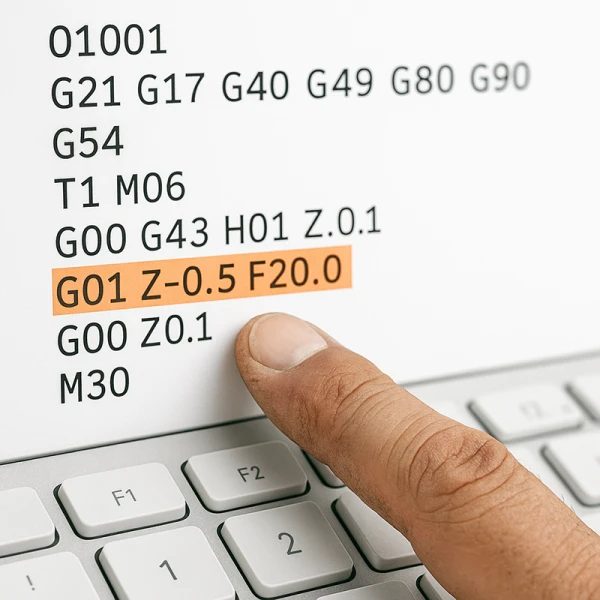
Features
- Adding comments: Allows clear in-program comments, such as customer information, drawing numbers, or stock details, to be documented.
- Adding NC code: Users can enter direct G and M codes into the program for tasks such as measurement routines, spindle stops, coolant control, or other special functions.
- Using text files: Frequently used manual additions, such as standard command sequences, can be saved in a .txt file and quickly imported into the program.
- Flexible programming: Manual additions can be placed at the beginning, between operations, or at the end of the program according to the programmer’s needs.
Applications
- Workpiece measurement: Adding measurement routines at the beginning of the machining program or at different stages of the process.
- Fixture management: Clearly documenting fixture information and work offsets using comments.
- Special machining operations: Making it possible to use commands that are not directly available in Mastercam’s standard operations.
- Chip removal: Pausing the machine during machining and providing the operator with instructions for removing chips.
- Documentation: Recording customer information, revision details, and other manufacturing-related information in the NC program.
Benefits
- Complete NC code: The program is ready to run on the machine without additional manual editing.
- Speed and efficiency: Repeated manual additions can be imported from a prepared file, speeding up programming.
- Clarity and documentation: Comments and additions improve program readability and traceability.
- Safety: Allows user-specific instructions and checks to be added before critical work steps.
Tips
- Add a manual comment block at the beginning of the program containing customer information, drawing number, revision, stock details, fixturing methods, and work offsets.
- Save frequently used NC code additions—such as spindle stop, restart, and coolant control commands—in a separate .txt file for quick use during programming.
- Use manual additions for training and documentation as well, allowing programs to serve as clear instructions for machine operators.
- Make sure that the postprocessor being used properly supports manual additions so that the program runs without problems on the machine tool.
Summary
Manual Add is an effective Mastercam tool that allows programmers to insert customized commands and comments into an NC program. It ensures that the program is complete and ready to run without requiring manual changes after post-processing. This improves programming speed, reliability, and program readability, supporting efficient and safe machining.


