
Mastercam Mill 2D Point

Mastercam Mill 2D Point toolpath is an operation that allows you to define tool movements through specific points, using either feed moves (G1) or rapid moves (G0). The operation is especially useful for approaching or retracting from the workpiece through predefined points, which can be beneficial when machining complex parts or when avoiding workholding fixtures.
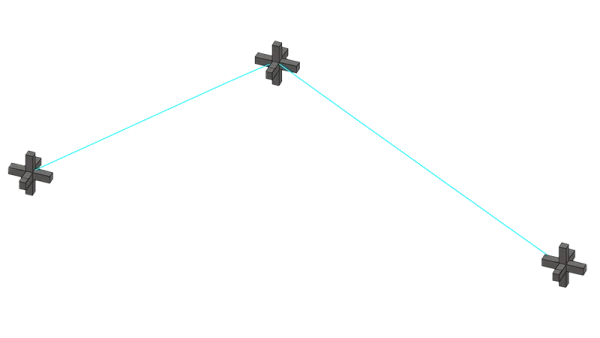
Features
- Precise point-to-point movement: Clearly defined points are used for tool movements, and each point can be selected using either a feed move (G1) or a rapid move (G0).
- Flexible point order: Points can be selected in any desired order, providing complete control over the movement path.
- Precise configuration: Points can be organized on dedicated levels according to the active level and machining scenario, such as a separate “Toolpath Points” level.
Applications
- Avoiding fixtures on complex parts: Points can be used to ensure that the tool is safely guided around workholding fixtures.
- Precise approach and retract paths: Depending on the workpiece geometry, the point order can optimize movements and reduce machining time.
- Adaptable movement logic: Both G0 (rapid) and G1 (feed) moves are available, allowing movements to be fine-tuned as needed.
Benefits
- Increased safety and reliability: Predefined points minimize the risk of damaging the workpiece or fixtures.
- Optimized movement time and path: A direct or feed-based movement pattern can be selected according to the situation.
Tips
- Use a separate level for the points, such as “Toolpath Points,” with a distinct color—for example, light blue—to make them easier to manage.
- Select points in a logical order and make effective use of the G0/G1 options.
- Use the software’s simulation or verification features to confirm that the movements are correct before machining.
Summary
Mastercam Mill 2D Point toolpath is a powerful tool for precisely controlling tool movements through predefined points. It allows you to plan safe approach and retract movements and ensure that the tool follows the desired path, such as when avoiding fixtures. The ability to choose between rapid and feed moves makes the operation flexible for a variety of machining environments. Placing points on a separate level makes toolpaths easier to manage and keeps the overall setup clear. Combined with simulation tools, this improves process reliability. The Point toolpath enhances safety, reduces unnecessary movements, and optimizes machining time, making it an excellent choice for machining complex parts and applications that require precise path control.


