
Mastercam Mill 3D Area Roughing
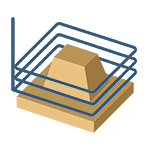
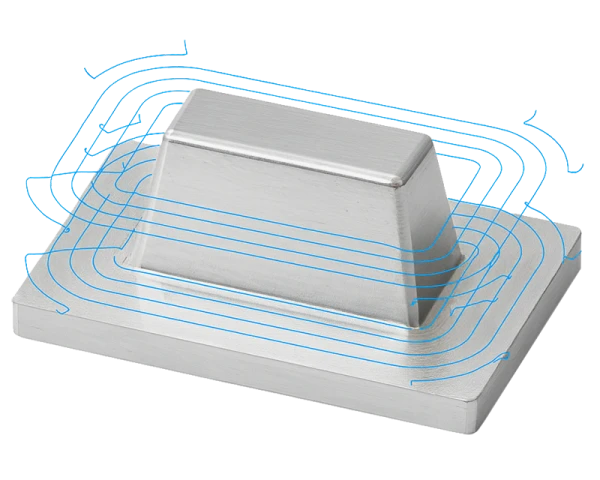
Mastercam Mill 3D Area Roughing is an advanced roughing method designed to efficiently remove remaining material from pockets, cavities, protrusions, and other uneven areas. It uses planar (constant-Z) movements that are ideally suited to machining complex 3D shapes. Area Roughing recognizes the stock model, material already removed in previous operations, and the tool dimensions, allowing machining to be focused only on areas where material remains. This makes the operation highly efficient and reduces unnecessary machining time.
Features
- Versatile geometry selection: Users can select surfaces to machine and avoid, and assign separate stock allowances for walls and floors. Fixtures are automatically detected and avoided according to the programmed stock allowance.
- Boundary control: The toolpath can be limited manually or automatically using the part outline, a rectangle, or a circle. Boundary compensation can be set inward, centered, or outward, and an offset distance can be specified.
- Rest material machining: The operation can perform secondary machining with a smaller tool. The software recognizes material removed in previous operations and focuses roughing only on the remaining areas.
- Machining methods: Options include climb milling, conventional milling, and zigzag machining.
- Optimized depth steps: Depth steps can be specified in millimeters, and the software can automatically add cutting passes when the slope of the shape changes by using minimum and maximum depth step settings.
- Corner rounding: Rectangular toolpaths can be rounded to produce smoother motion.
- Critical depths: Special passes can be added on flat areas or at depths manually defined by the user.
- Trochoidal motion: Looping arc motion reduces tool load and prevents machining across the full width of the tool. This is particularly useful when machining hard materials or using long tool stickouts.
- Z-depth control: Minimum and maximum depths can be entered manually or detected automatically from the model.
- Retract settings: Tool retract movements can be defined as a full vertical retract, a minimum retract, or according to a minimum distance. On high-speed machines, arc fitting and feed rate are recommended for retract movements as well, resulting in smoother motion and softer machining.
- Approach movements: The approach movement defines how the tool plunges into the material when machining internal pockets. The plunge angle should be set according to the tool manufacturer's recommendations to keep tool loading under control. The helix radius should be slightly smaller than the tool diameter to ensure controlled and safe tool entry. Be sure to assign separate machining parameters, such as feed rate and spindle speed, to the approach movement rather than using the parameters of the actual toolpath.
Applications
- General roughing of a variety of workpieces with complex 3D shapes
- Situations where dynamic OptiRoughing cannot be used
- Applications requiring a simple toolpath, for example on older machine tools with limited controller memory
- Particularly suitable for indexable milling cutters, such as high-feed cutters
Benefits
- Efficiency: Uses stock and previous-operation data to avoid air cutting and reduce machining time.
- Tool life: A consistent chip load, trochoidal motion, and smooth arc transitions extend tool life.
- Flexibility: Extensive options for controlling boundaries, compensation, and offsets.
- Improved surface quality: Rest-material removal with a smaller tool ensures a uniform surface before finishing.
- Suitable for a wide range of machines: Works well on both conventional and modern high-speed machine tools.
Tips
- Define boundaries carefully – limit machining to the required areas to save machining time.
- Use rest-material detection – a smaller tool can remove only the material that previous tools could not reach.
- Use trochoidal motion with hard materials – this reduces tool stress and allows higher feed rates.
- Adjust depth steps to match the shape – allow the program to add steps in sloped areas to optimize chip evacuation.
- Use simulation – verify the safety and smoothness of the toolpath before running the operation.
Summary
Mastercam Mill 3D Area Roughing is a versatile and reliable roughing method suitable for machining a wide range of workpieces. It uses constant-Z planar movements to efficiently remove large amounts of material from both simple and complex 3D shapes. Area Roughing is especially useful when dynamic OptiRoughing cannot be used or when the simplest possible toolpath is desired, for example on older machine tools with limited controller memory. It is most commonly performed with indexable milling cutters, such as high-feed cutters, which are well suited for producing a high chip load. As an additional feature, Area Roughing enables rest-material removal after previous operations and the use of trochoidal motion when machining hard materials. These capabilities can extend tool life, reduce machining time, and ensure that the part is prepared for finishing operations as efficiently as possible.


