
Mastercam Mill 3D Flowline Finishing
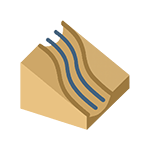
Flowline finishing is one of Mastercam’s older 3D finishing toolpaths. It uses a surface’s UV directions to generate tool movements. The toolpath follows the shape of the part’s surfaces, creating smooth, surface-following movements. Although it is an older toolpath type, it can still be useful in special situations where newer and more advanced toolpaths do not produce the desired result. Today, however, alternatives such as Contour Flow finishing are generally recommended because they provide greater control over the surfaces to machine and avoid, as well as more versatile settings for adjusting stock and approach movements.
Features
- Surface following: The toolpath is based on the shape of the surface and its UV directions, creating movements that follow the part’s surface.
- Machining surface selection: Users can select solid faces and surfaces using several keyboard shortcuts (for example, Shift + click → tangent faces, Ctrl + click → matching fillets).
- Flowline settings: Users can adjust the machining direction, step-over direction, start point, offset values, and edge tolerance.
- Cutting patterns: Zigzag, One Way, or Spiral cutting patterns can be selected.
- Tool movements: The settings allow you to define retract and feed planes, stock to leave, and tool containment.
- Jump settings: The tool can move between machining areas directly, at an angle, smoothly, or by following the surface. You can also check for hooks in retract and jump movements.
- Additional settings: These include sharp-corner tolerance adjustments, tool rotation at edges, and the option to check hidden faces.
Applications
- Finishing complex surfaces where you want the tool to follow the surface geometry precisely.
- Applications where newer toolpaths, such as Contour Flow or Constant Scallop, do not produce the desired result.
- Special cases where the surfaces’ UV directions closely match the desired cutting direction.
Benefits
- Smooth movements: The toolpath creates smooth, surface-following movements that improve surface quality.
- Simplicity: A clear and straightforward approach to surface finishing.
- Optimization potential: Different cutting patterns—Zigzag, Spiral, and One Way—can be used to optimize tool motion according to the part’s shape.
Tips
- Machining surface selection: Use keyboard shortcuts to speed up the selection of machining surfaces.
- Choosing a cutting pattern: Use Zigzag or One Way if you want to reduce the amount of code and improve machine smoothness.
- Check tolerances: Tolerances that are too loose can result in faceted surfaces. Tighter tolerances and smoothing functions improve quality.
- Jump settings: Use smooth jumps across surfaces if you want to minimize unnecessary Z movements and keep machining fast.
- Compare with other toolpaths: If possible, try Contour Flow or Constant Scallop—these provide more adjustment options and greater flexibility.
Summary
Mastercam Mill 3D Flowline finishing is a classic toolpath type that follows the shape of the part’s surfaces and produces smooth, surface-conforming movements. Although it is an older method and can often be replaced with more advanced toolpaths, it still has value in certain special cases where a simple, UV-based toolpath works best. When used correctly, Flowline provides good surface quality and a clear toolpath. However, because of its limitations, it is recommended that you consider more modern alternatives whenever possible.


