
Mastercam Mill 3D Parallel Finishing
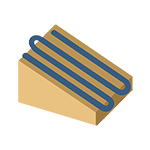
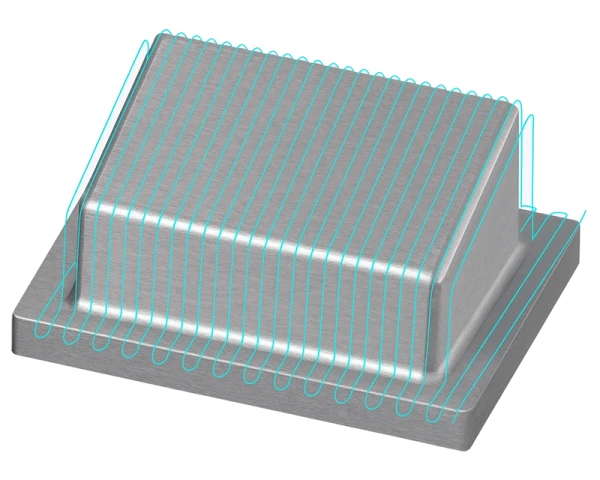
Mastercam Mill 3D Parallel Finishing is a toolpath designed for finishing 3D surfaces using evenly spaced, parallel cutting passes at a selected angle. The goal is to produce a high-quality, consistent surface finish while optimizing machining time, particularly on large, flat surfaces. The method is also suitable for steeper surfaces when they are perpendicular to the cutting direction. This makes it a flexible solution for finishing complex shapes in mold making, tool manufacturing, and general machining.
Parallel Finishing supports several machining methods, including one-way machining, zigzag machining, and machining only in the upward or downward direction. Users can define the cutting angle manually or use automatic optimization, allowing the software to identify the best possible direction based on the surface geometry. The toolpath settings also support stock and remaining-material models, helping to eliminate unnecessary air cutting and focus machining precisely on the required areas.
Features
- Parallel passes: Surfaces are finished with evenly spaced, parallel cutting passes at a selected angle.
- Versatile methods: Supports one-way machining, zigzag machining, and cutting only in the downward or upward direction.
- Cutting angle control: The angle can be entered manually, or Mastercam can determine it automatically based on the geometry.
- Rest-area control: The “Rest area perpendicular” option can improve surface quality, particularly on surfaces with a lateral slope.
- Stock and fixture consideration: Users can define the surfaces to machine, avoid, and use as fixtures separately, and assign individual stock allowances to them.
- Boundaries and compensation: The toolpath can be limited to a specific area, and the compensation direction can be set inward, outward, or toward the center.
- Remaining-material utilization: The operation identifies areas left by previous operations and skips surfaces that have already been machined.
- Cutting-order optimization: Provides intelligent control over the machining sequence so that machining is performed in the most efficient order.
- Transition and approach settings: Offers extensive options for tool approach, exit, and transitions, including ramping and smooth tool motion.
- Simulation capabilities: Mastercam simulation allows the toolpath to be verified before machining.
Applications
- Complex 3D surfaces: Suitable for finishing mold, plastic component, and tool surfaces.
- Flat surfaces: Particularly effective when surface finish requirements call for consistent tool marks.
- Steep surfaces: Also performs well on steep surfaces that are perpendicular to the cutting direction.
- Large parts: Suitable for finishing large part surfaces where a consistent surface finish is critical.
Benefits
- Consistent surface finish: Parallel passes provide a smooth, high-quality surface without distracting tool marks.
- Reduced machining time: Automatic optimization and stock recognition reduce unnecessary movements.
- Flexibility: Suitable for a variety of surface shapes and allows customized settings for different geometries.
- Cost efficiency: Reduces tool wear and optimizes machining, lowering production costs over the long term.
- Versatile parameters: Users can fine-tune machining for nearly any surface type and quality requirement.
Tips
- Optimize stepover and scallop height: A smaller stepover produces better surface quality but increases machining time. Find the right balance between quality and efficiency.
- Use automatic angle calculation: Let the software calculate the optimal machining angle to save programming time and improve the end result.
- Always simulate before running: Use simulation to verify that avoided areas, fixtures, and boundaries function as expected.
- Use a stock model: Avoid unnecessary air cutting and focus only on removing remaining material.
- Adjust approach and retract movements: Ramping and smooth transitions improve machining safety and extend tool life.
Summary
Mastercam Mill 3D Parallel Finishing provides an efficient, high-quality solution for finishing 3D surfaces. It uses evenly spaced, parallel cutting passes and supports versatile settings that help optimize surface quality and machining efficiency. Users can precisely control the areas to be machined and avoided, define machining boundaries, and take advantage of automatic optimization features, improving both production efficiency and quality. This makes Parallel Finishing an important tool for machine shops seeking high quality, cost efficiency, and flexibility when manufacturing 3D shapes.


